Professional
Umnia Bank
UX/UI design and design direction for mobile account opening and the banking back office.
Banking
Customer & staff journeys
Role
UX/UI design · Design direction
Context
B3G Technologies · Umnia Bank
Platform
Mobile & web
Opening an account does not end with the last form. Behind the mobile journey, a team needs to check documents, understand blocked cases and follow up on each application. Uconnect connects both sides of that service.
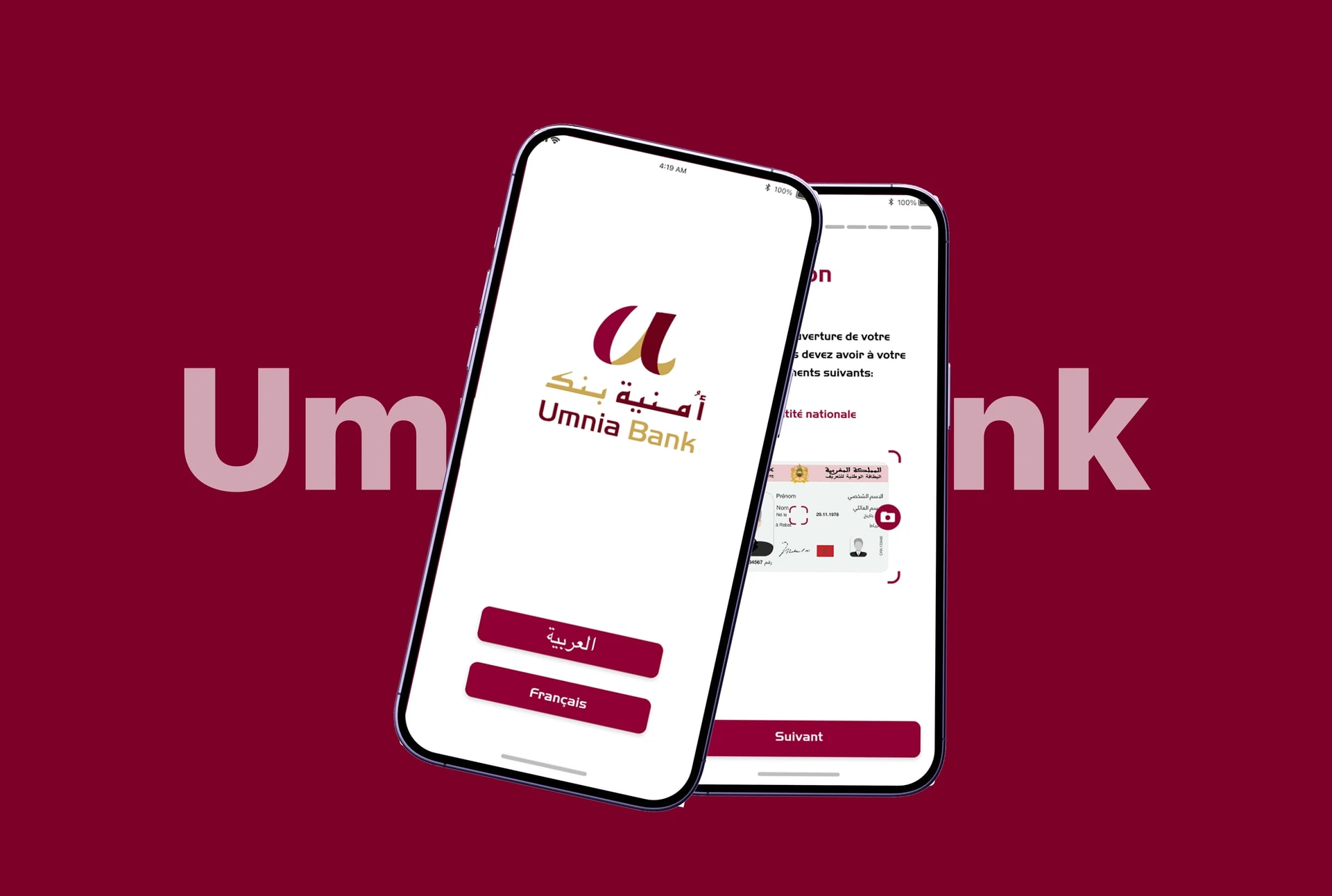
Designing continuity across the service
At B3G Technologies, I combined UX/UI design with design direction and review, working with the team. The scope brings together the onboarding app and the interfaces used by bank staff. My focus is both on the customer’s progression and on making the resulting application readable for the agents who handle it.
Two users, two ways of reading
The customer
Understand the information required, provide supporting documents and review the application before committing. The journey needs to explain the next step without exposing the full complexity of bank processing.
Bank staff
Find applications awaiting processing, check supporting documents and identify cases that need intervention. The interface needs to make status, progress and the reason for a blockage visible.
Starting with an understandable step
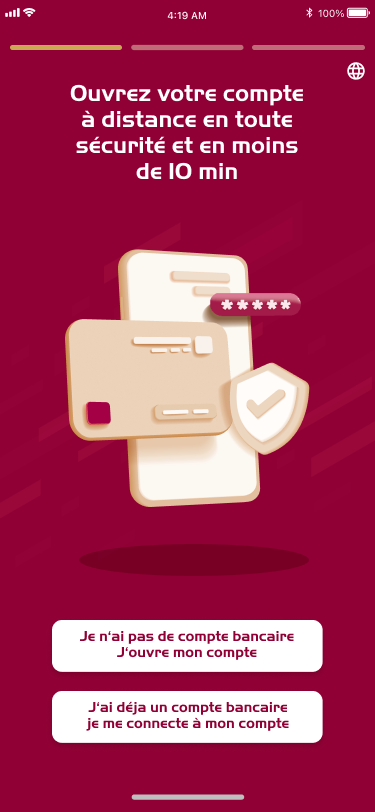
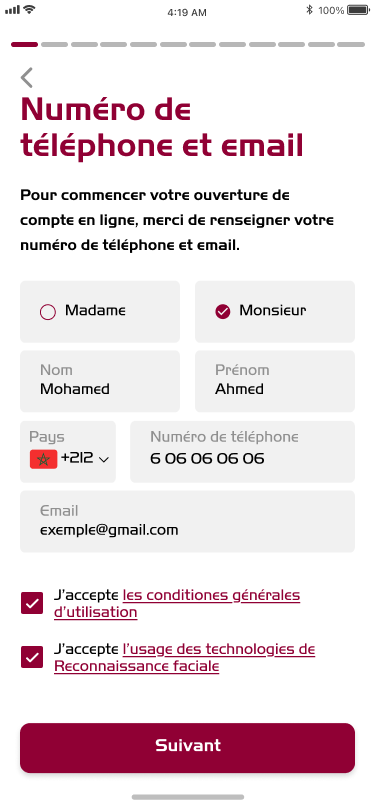
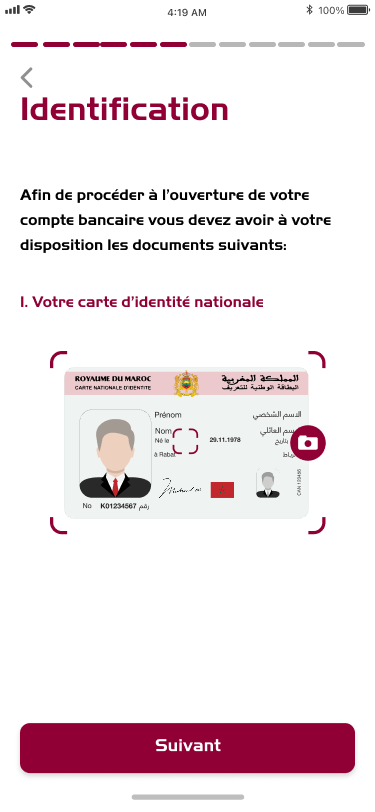
An introduction to remote account opening comes before phone and email entry. Identification and supporting documents are then presented as distinct steps. This keeps onboarding from becoming a single form in which contact details, identity and documents compete for attention.
Entering the journey
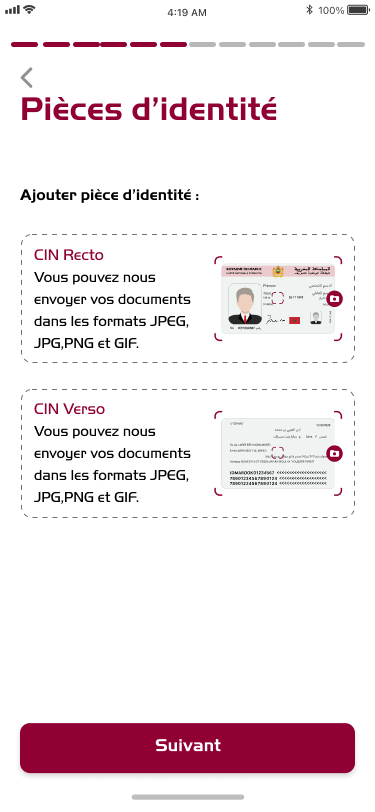
Preparing the decision before validation
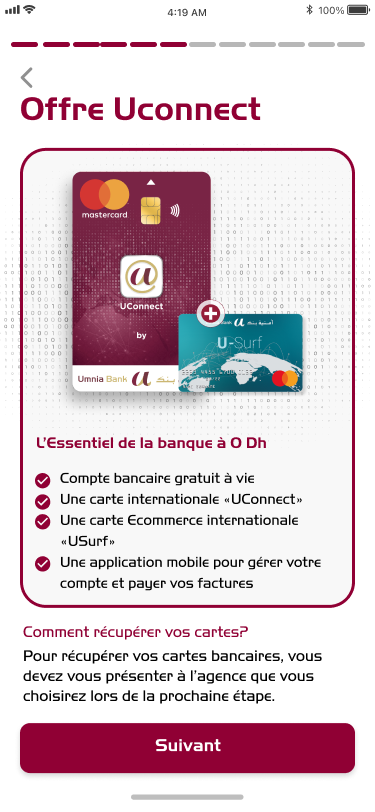
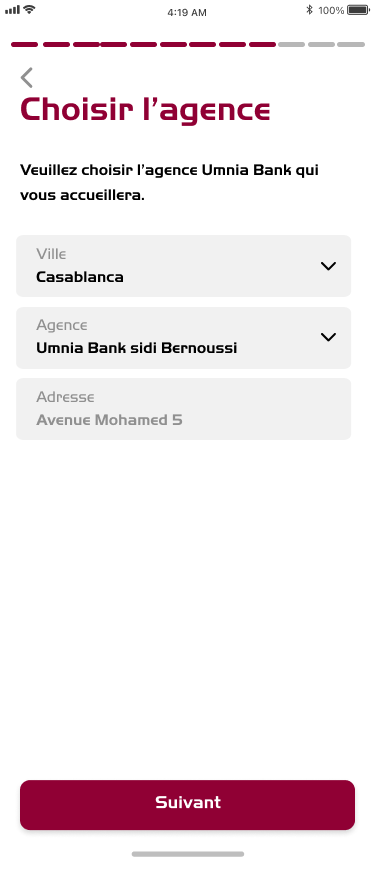
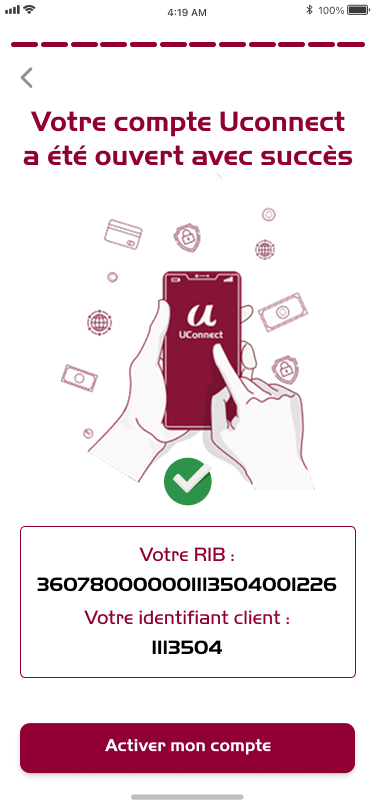
The offer, branch selection and account-opening agreement each have their place in the progression. The end of the journey is more than a confirmation button: the opened-account screen provides the details of the new banking relationship. Design direction also means keeping a consistent hierarchy across these moments, despite their different content.
From the offer to an opened account

For agents: knowing where to act
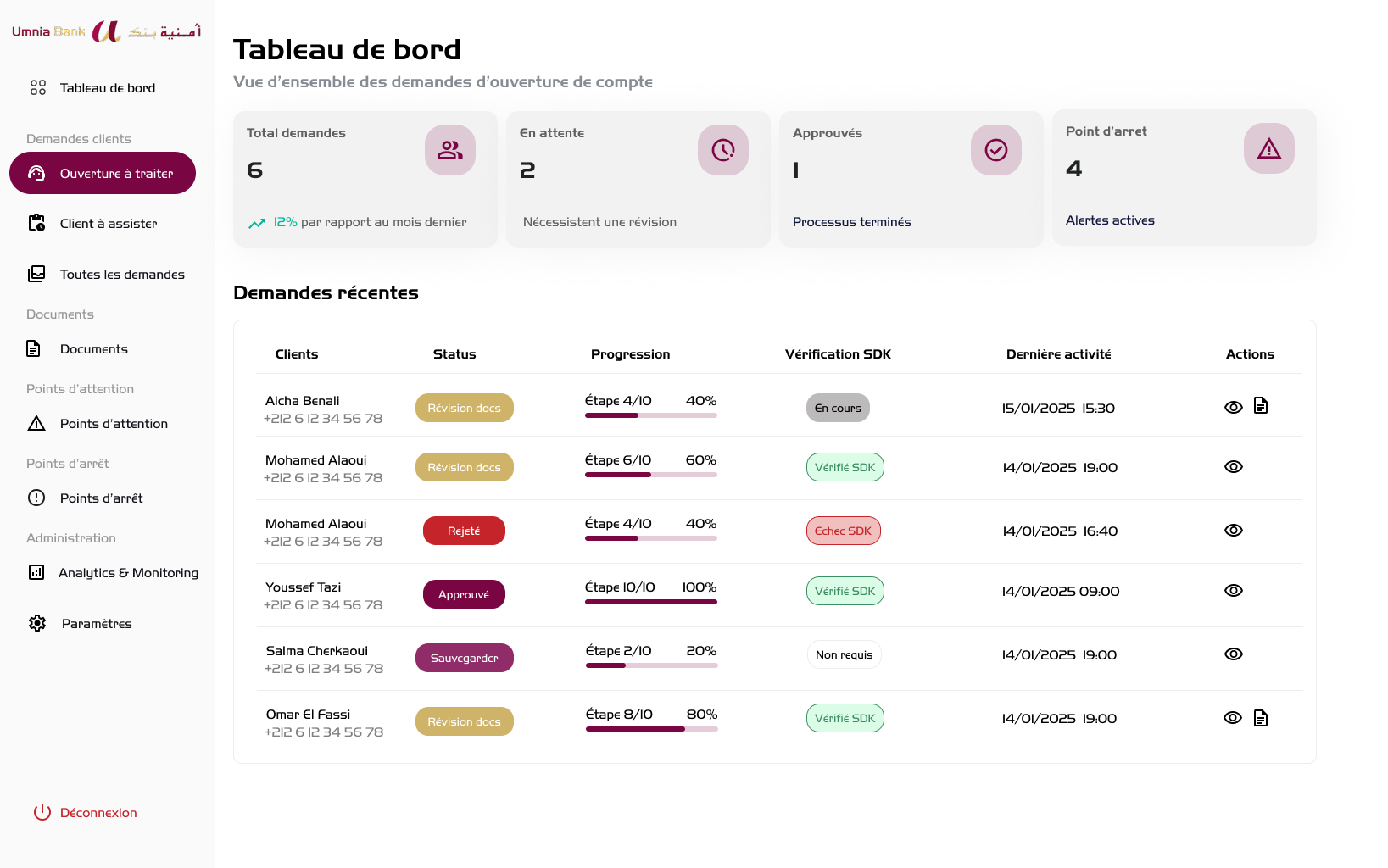
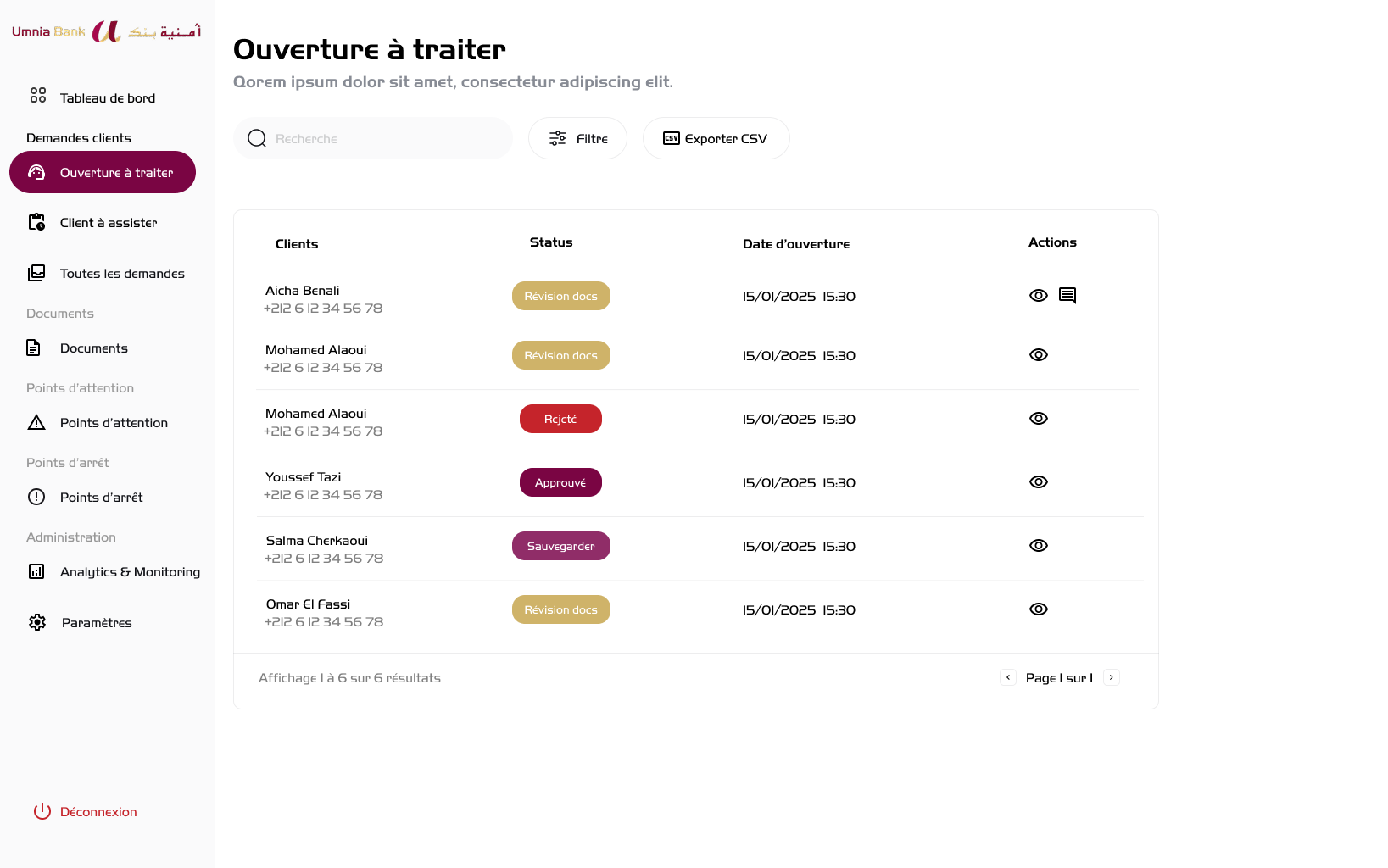
The dashboard provides an activity overview, while application queues support daily processing. Status and progress remain attached to each case. This separates the overall picture from action on a specific application without adding layers of navigation.
Overview and applications to process
Making exceptions easy to find
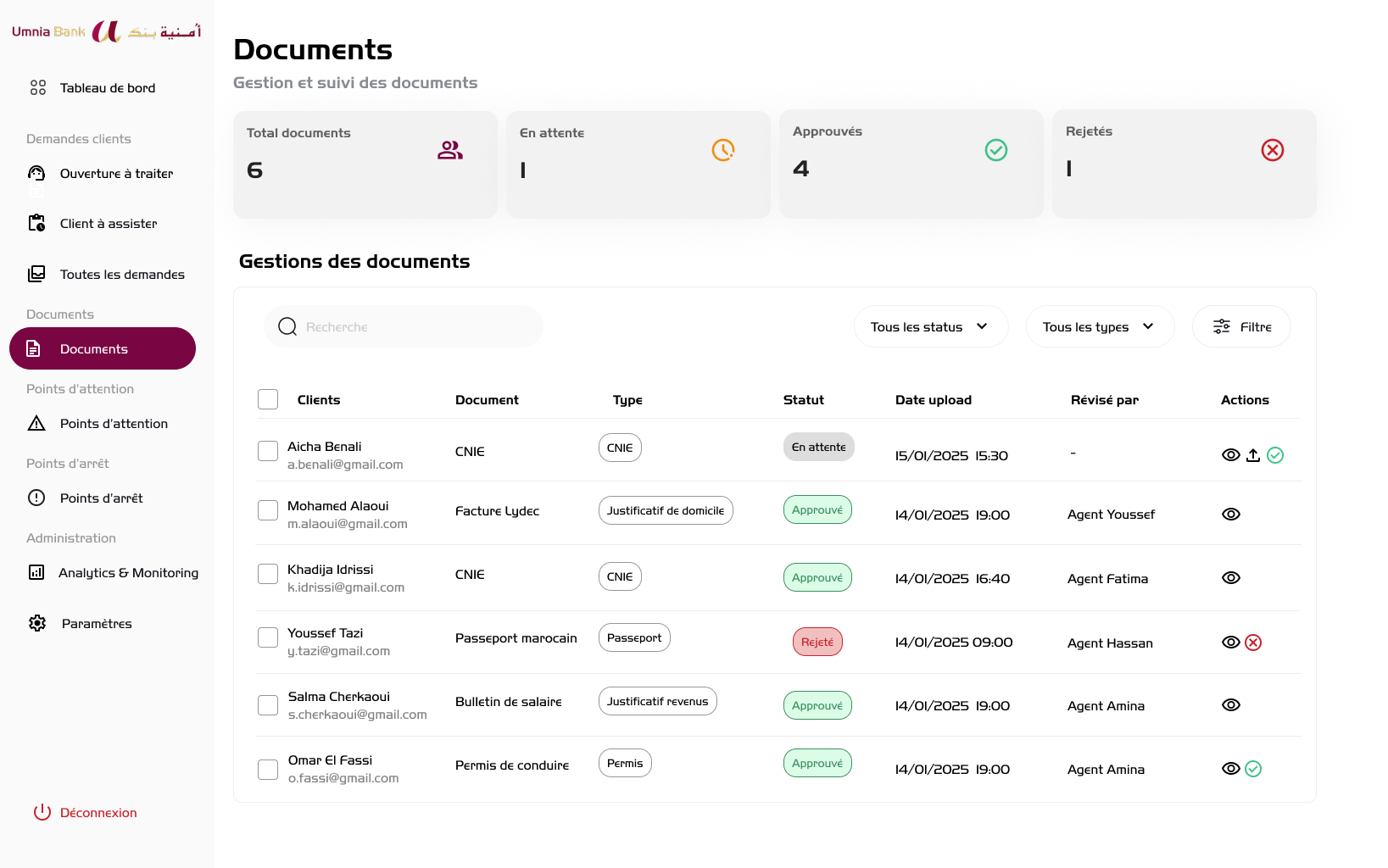
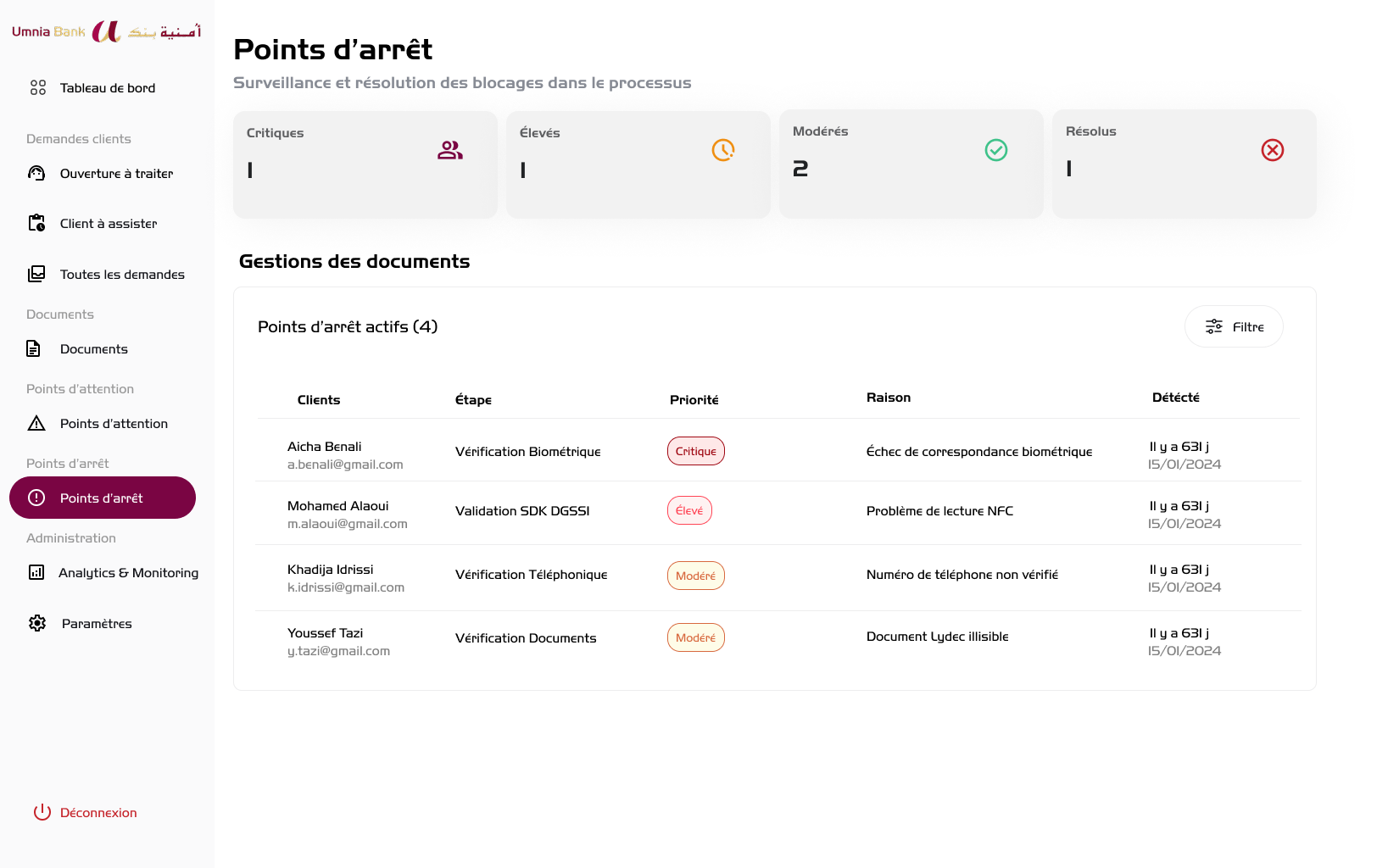
Documents and blocking issues have dedicated views. For a blocked case, showing an alert is not enough: the affected step, priority and reason need to be brought together. These cues give the agent context for deciding what to do next.
Document checks and blocking issues
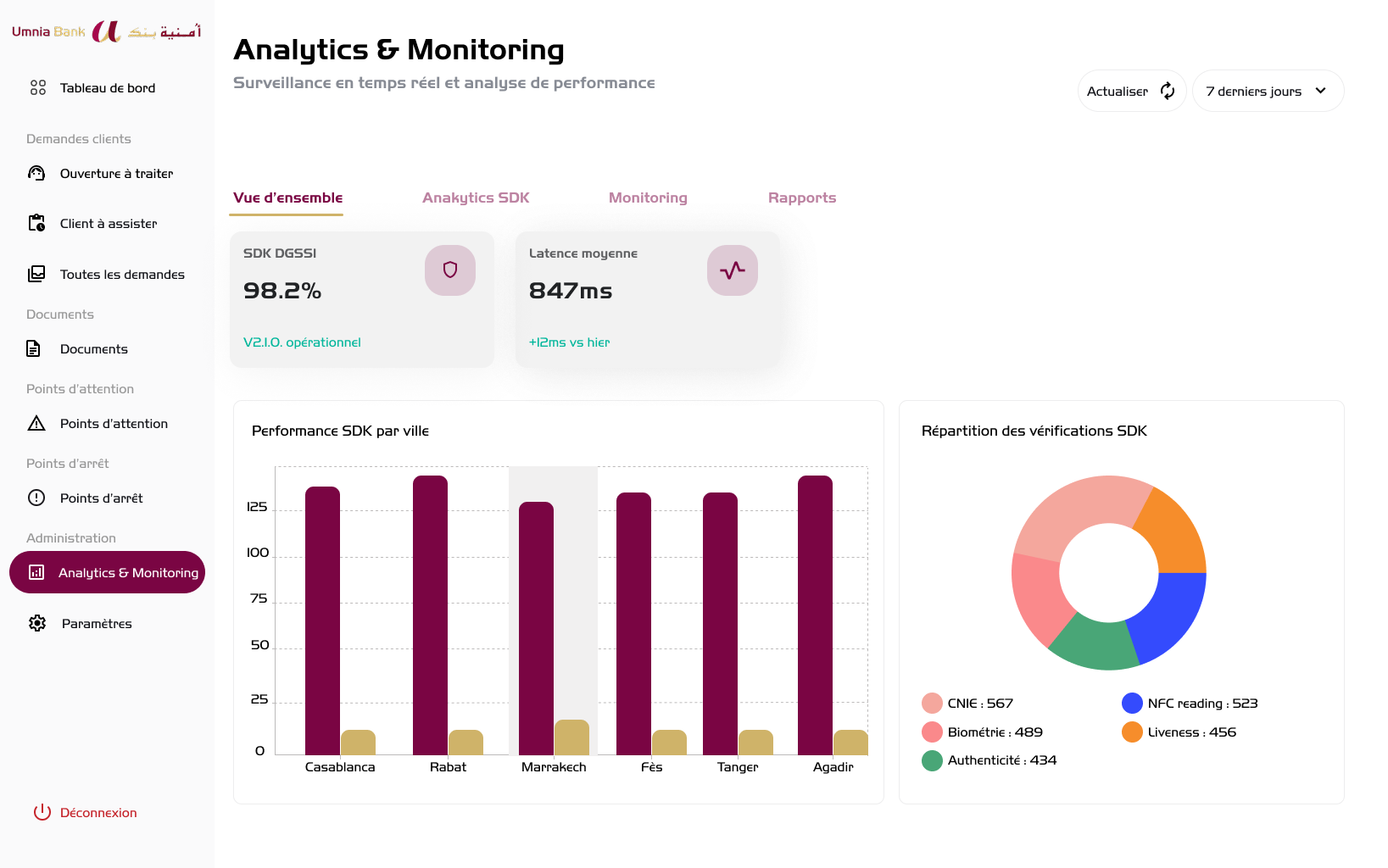
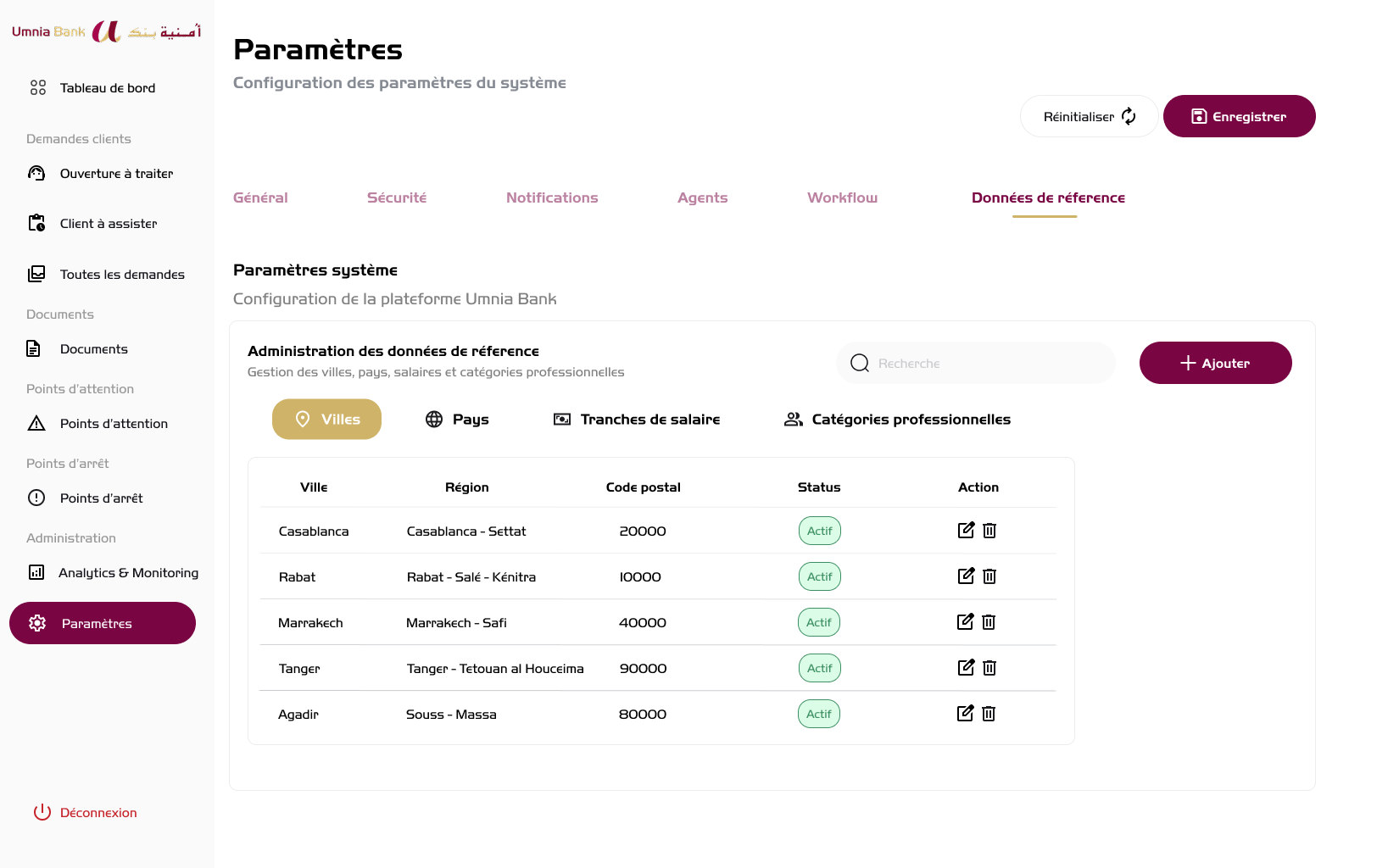
Monitoring and reference data
A journey continues after submission
The connection between app and back office is the core of this study. The same elements — identity, documents, status and progress — need different levels of detail depending on who is reading them. Designing this handover treats account opening as a complete service, with continuity between the customer’s action and the bank’s work.
You